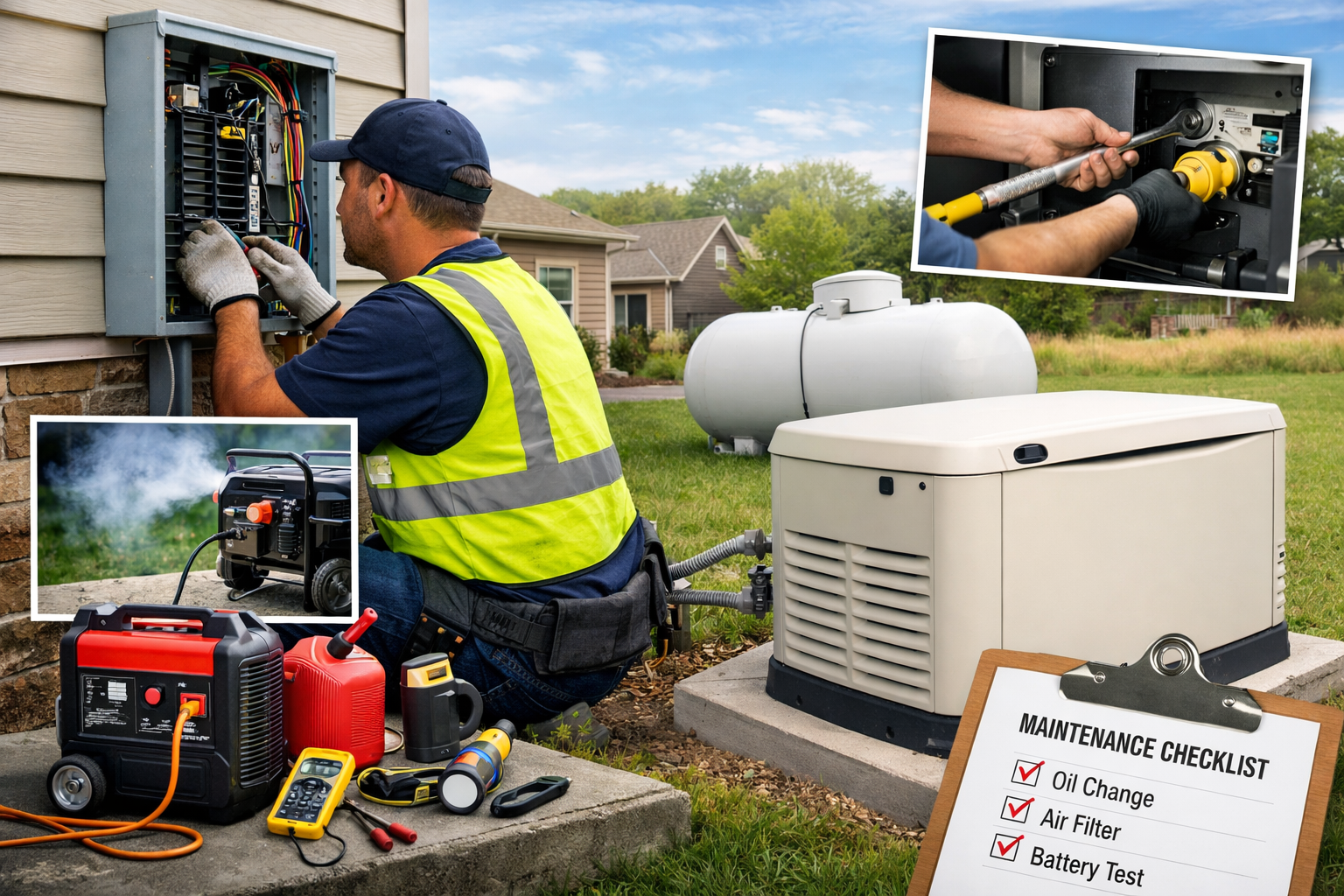
Power outages don’t give much warning in Fort Mill. Home Generator Maintenance is what keeps your backup power reliable when you need it most—during storms, heat waves, and unexpected grid issues. In this guide, Johnathon Brown Electric walks through routine inspections, preventive care, troubleshooting, safety essentials, and the clear signs it’s time to call a licensed electrician.
Know what you’re maintaining: portable vs. standby
Before you touch anything, confirm what type of generator you have:
- Standby (whole-home) generator: Permanently installed, typically runs on natural gas or propane, and uses an automatic transfer switch (ATS). It should “exercise” on a schedule.
- Portable generator: Rolled out during outages and fueled manually (gasoline/propane). Maintenance is more hands-on, and safety risks are higher if used incorrectly.
Most Fort Mill homeowners with standby units want one thing: it starts automatically and carries the load without drama. That only happens with consistent upkeep.
Routine inspections you can do (without tools or guesswork)
Weekly / “quick look” (2 minutes)
Do this whenever you walk by the unit:
- Check for leaks (oil, coolant, fuel smell).
- Look for rodent nests, chewed wiring, or leaves packed around vents.
- Confirm the generator area is clear (no trash cans, pool gear, mulch piled against it).
- Listen during exercise runs: unusual rattling, surging, or sputtering is a clue.
Monthly checklist (10–15 minutes)
These are homeowner-friendly checks that prevent most surprise failures:
- Check the status lights / app alerts
- Clear “maintenance due” reminders.
- Note any warning codes and don’t ignore repeats.
- Inspect the battery
- Look for corrosion on terminals.
- Make sure cables are tight (no wiggle).
- If the unit cranks slowly, the battery may be weak—even if it “looks fine.”
- Check oil level (standby units)
- Follow the manufacturer’s procedure.
- Low oil can trigger shutdowns or long-term engine damage.
- Inspect the air intake and exhaust
- Clear leaves, pollen buildup, and debris.
- Fort Mill’s seasonal pollen can clog intake areas faster than people expect.
- Confirm the unit exercised properly
- If it didn’t run, or it shut down mid-cycle, treat that like a real problem—not a “later” item.
Preventive care that extends generator life
Change oil and filters on schedule
Most standby generators need routine oil and filter changes based on time and run hours. Don’t rely on memory. Use the unit’s display/app or keep a simple log.
- Change oil and oil filter at recommended intervals.
- Replace air filter if it’s dirty, damp, or clogged.
- Replace spark plugs when the manufacturer calls for it (common cause of hard starts).
If your generator runs longer during an outage, treat that like extra wear and plan service afterward.
Fuel system basics (portable + standby)
- Standby (natural gas/propane): Make sure valves are open and supply is reliable. If propane-fed, confirm your tank level before storm season.
- Portable (gasoline):
- Use fresh fuel.
- Add fuel stabilizer if stored.
- Run the generator dry (or follow manufacturer guidance) if it sits for long periods to prevent carburetor issues.
Exercise under load (when appropriate)
A generator that only idles during exercise can still fail under real demand. A periodic load test helps confirm it can carry essential circuits.
For standby systems, this often involves testing through the transfer switch and verifying stable voltage. This is also where a licensed electrician can spot issues early (weak battery charging, transfer switch delay, breaker problems, voltage irregularities).
Troubleshooting: common problems and what they usually mean
“It won’t start”
Likely causes:
- Dead/weak battery
- Loose battery terminals
- Low oil level (some units won’t start if low)
- Fuel supply issue (closed valve, empty propane tank, stale gasoline)
- Fault codes preventing start
What to do:
- Check the battery connections and status first.
- Check oil level.
- Confirm fuel supply is on and available.
- If fault codes persist, don’t keep cycling the system—document the code and call for service.
“It starts, then shuts off”
Likely causes:
- Overload condition
- Oil pressure issue
- Overheating (blocked vents, debris, airflow restriction)
- Sensor or control board fault
What to do:
- Reduce load if you’re manually managing circuits.
- Check ventilation and clear debris.
- If it repeats, stop troubleshooting and schedule a professional inspection.
“Lights flicker or power feels unstable”
Likely causes:
- Voltage regulation issues
- Loose connections at transfer switch, breaker panel, or generator wiring
- Overloaded circuits
- Failing components
This is a licensed electrician situation. Unstable power can damage appliances and create fire risk.
“The transfer switch doesn’t transfer”
Likely causes:
- ATS control issue
- Utility sensing problem
- Wiring/connection fault
- Breaker or interlock problem
If the generator runs but your home doesn’t get power, don’t assume the generator is the problem. The transfer switch is the gatekeeper, and it must work correctly.
Generator safety in Fort Mill homes
Carbon monoxide safety (portable generators especially)
Never run a portable generator indoors, in a garage, or near open windows/doors. Keep it well away from the home and follow CO safety guidance.
Backfeeding is dangerous and illegal
“Backfeeding” happens when someone plugs a generator into a home outlet or uses unsafe connections. That can:
- energize utility lines,
- endanger line workers,
- damage your electrical system,
- and create fire risk.
A proper transfer switch (manual or automatic) prevents this and keeps your setup code-compliant.
Basic operating safety
- Keep the unit dry and never handle cords with wet hands.
- Let the generator cool before refueling.
- Use correct-rated cords and connections (portable use).
- Keep kids and pets away from the unit while running.
When to hire a licensed electrician (don’t DIY these)
Call Johnathon Brown Electric when you notice any of the following:
- The generator runs, but transfer to the house fails
- Repeated fault codes, shutdowns, or warning lights
- Burning smell, melted insulation smell, or visible heat damage
- Flickering lights, unusual buzzing, or breakers tripping during generator use
- Any needed work involving the transfer switch, breaker panel, wiring, or load calculations
- You want an annual maintenance visit with professional testing and documentation
A licensed electrician can test output, confirm safe transfer operation, verify grounding/bonding where required, and catch issues before they turn into an outage-day failure.
A simple maintenance schedule you can follow
Use this as your baseline (then align with your generator’s manual):
- Weekly: quick visual check (leaks, debris, nests)
- Monthly: battery check, oil check, confirm exercise run, clear vents
- Twice per year (pre-storm + mid-season): deeper inspection, clean area, verify alerts/settings
- Annually: full professional maintenance + transfer switch testing (recommended)
Keep a maintenance log (it helps with warranties)
Track:
- Date + run hours
- Oil/filter changes
- Battery replacement date
- Any fault codes and what fixed them
- Service visits and parts replaced